
Dream YAM Sim
Dream YAM Sim is a local MuJoCo example with two YAM arms, three RGB cameras, fruit, a bowl, and a plate. Enter a task and Dream returns joint actions for the simulated arms.
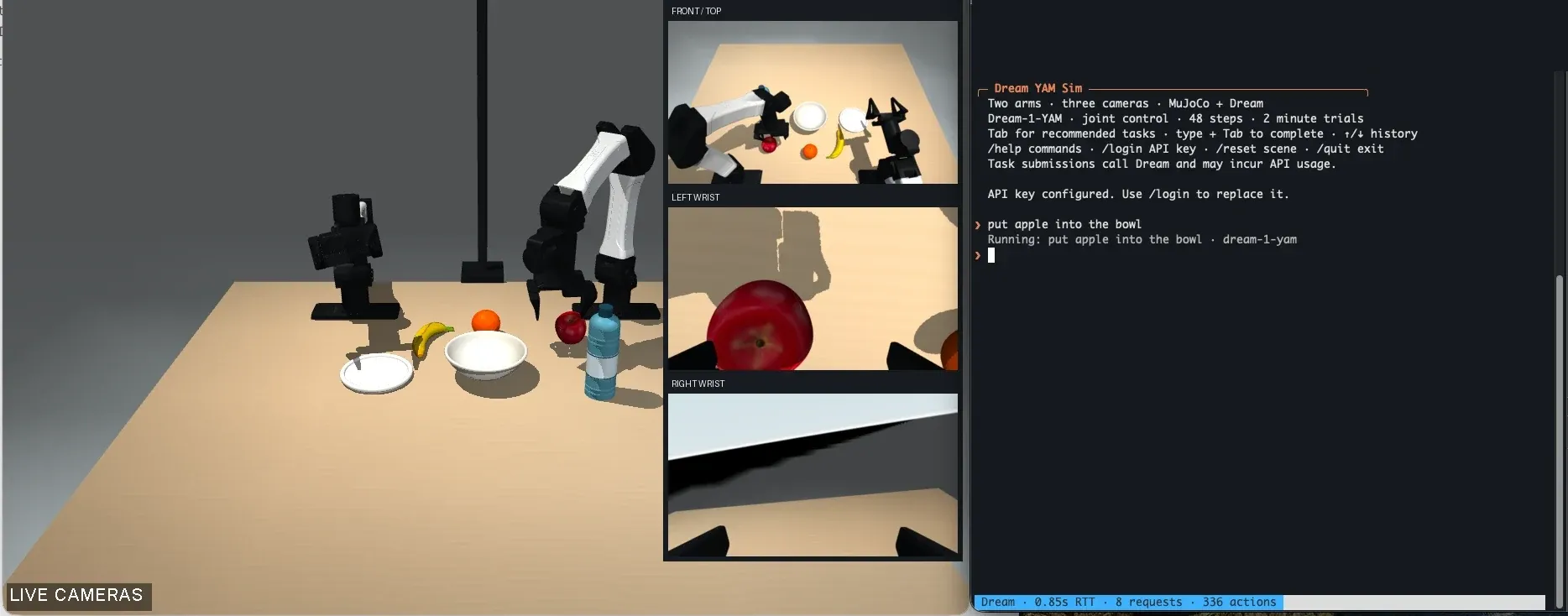
Install and start
Section titled “Install and start”The example ships with the dream library. Install the library as the Setup API page of the platform says ({{platform_url}}/setup-api, steps 2 and 3: install, then add your API key), on a computer with a display, then run it in that environment:
source ~/dream-env/bin/activate
dreamcli example yam-mujoco
The viewer opens at once. It calls Dream-1 with the key and the gateway the install saved in ~/.dreamlabs/credentials, so there is nothing to log in to; /login saves another key for the example alone. Task submissions use account credits. dreamcli example lists the examples, and dreamcli example yam-mujoco --self-test checks the install without a display or a key: it builds the scene and steps it.
Give the arms a task
Section titled “Give the arms a task”put apple into the bowl put orange into the bowl put banana on the plate
On the first run the prompt starts with put apple into the bowl; press Enter to run it. Entering a task while another runs replaces it: the running task stops once its pending response returns, and the new one starts. Press Tab on an empty prompt for recommended tasks. Type a prefix and press Tab to complete it. Up and Down recall previous commands. The status bar updates RTT after each response.
Defaults are dreamlabs/dream-1-beta, joint control, 48 actions per response, and a 120-second trial. Each request sends the measured joints and grippers and each camera’s last nine frames, 0.2 s apart, in the keys the model reads: state.right_arm, state.right_gripper, state.left_arm, state.left_gripper, video.overhead, video.wrist_l and video.wrist_r. A model that also reads hand poses, such as the default dreamlabs/dream-1-beta, is sent the YAM station’s keys instead (state.arm_r.joint_pos, state.arm_l.joint_pos and their gripper_pos, image_window.top, image_window.left, image_window.right, and robot.arm yam), and the serve computes each hand’s pose from the joints. Simulation holds while inference is pending.
| Command | Purpose |
|---|---|
/model |
Choose a model: /model beta, or any model id, such as one of your fine-tunes (/model dream-1-ft:...) |
/actions 24 |
Change actions executed per response |
/seconds 120 |
Change trial duration |
/reset |
Reset the scene, objects and arms; stops a running task |
/reset_robot |
Move the arms back home, leaving the objects; stops a running task |
/collisions |
Show collision geometry |
/login |
Replace the local API key |
/quit |
Close the viewer and terminal |
During a run the viewer ignores Backspace/Delete, MuJoCo’s scene reset, and says so in the terminal; stop the run or use /reset or /reset_robot instead. The viewer’s other keys are MuJoCo’s own display toggles and change only what the viewer draws.
First Ctrl-C stops the task; a second consecutive Ctrl-C exits. Add --show-side-panel for native MuJoCo controls or --verbose for detailed logs (dreamcli example yam-mujoco --verbose).
Simulation limits
Section titled “Simulation limits”The example uses URDF joint limits and convex collision parts derived from the robot meshes. Fine recesses remain approximate. Grip friction and object masses are simulation tuning, not calibrated hardware dynamics. Banana-to-plate remains inconsistent in live trials; passing a scripted pickup does not establish model task reliability. See the example’s README and asset attribution for calibration details and licenses.